

Accessibility · Article
Why retrofitting accessibility is an economic disaster, and how to avoid it
By Niklas Andervang8 min read
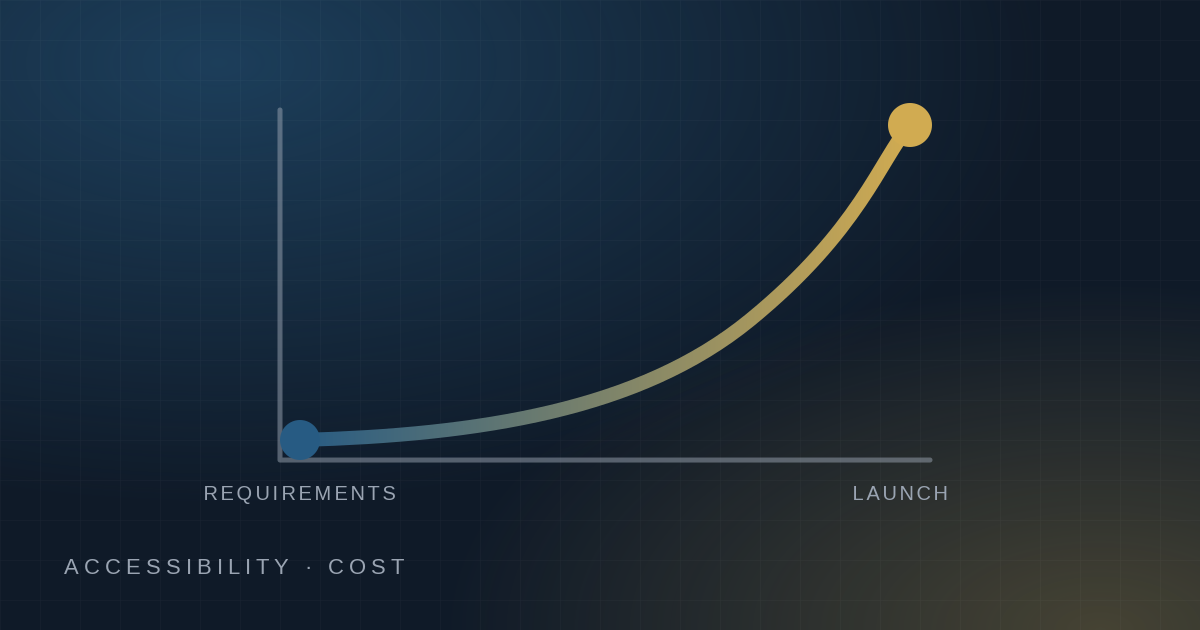
Leaving accessibility out of the requirements to “save time” is like putting up a multi-storey building and planning to install the lift once the roof is on. It can be done, but it means knocking down walls, moving load-bearing beams and paying many times as much. In this article, we look at why specifying accessibility requirements up front is the best investment you can make, and what the research says about the cost of “patching” accessibility after the fact.
- Accessibility
- Requirements
- A11y
- WCAG
- Cost
Requirements: your cheapest insurance policy#
Accessibility is not a “feature” you bolt on at the end of a development cycle. It is a fundamental quality attribute, just like security or performance. When it is missing from the requirements specification on day one, it is treated as “extra work” later – and that extra work is expensive.
Setting clear requirements at the very start of a project – for example, WCAG 2.2 Level AA – gives designers and developers a shared target. It reduces guesswork, avoids debates in the middle of a sprint and ensures the product is both legally compliant and genuinely usable from launch.
“Accessibility is not a checklist – it is a quality stamp we require before we can call a product finished.”
Making accessibility part of your team’s Definition of Done means you never unknowingly build up technical debt that someone else will have to pay off. It is about setting the right expectations, and that costs little more than the time it takes to write them down.
The price of waiting: from 1× to 100×#
In software development, we often talk about “shifting left”: moving critical work as early in the process as possible. With accessibility, there is a very concrete economic argument for doing exactly that.
This is how the cost of a fix scales depending on when you address accessibility:
- Requirements phase (1×): Costs only the time needed to document the right expectations. It is a one-off investment in knowledge that pays off for the entire lifetime of the project.
- Design and development (10×): Requires reworking code and components in the middle of the build. Every day you wait, the problem becomes more expensive to solve.
- After launch (30–100×): Requires architectural changes and repeated test cycles, and carries the risk of legal penalties. This is where the real economic disasters happen.
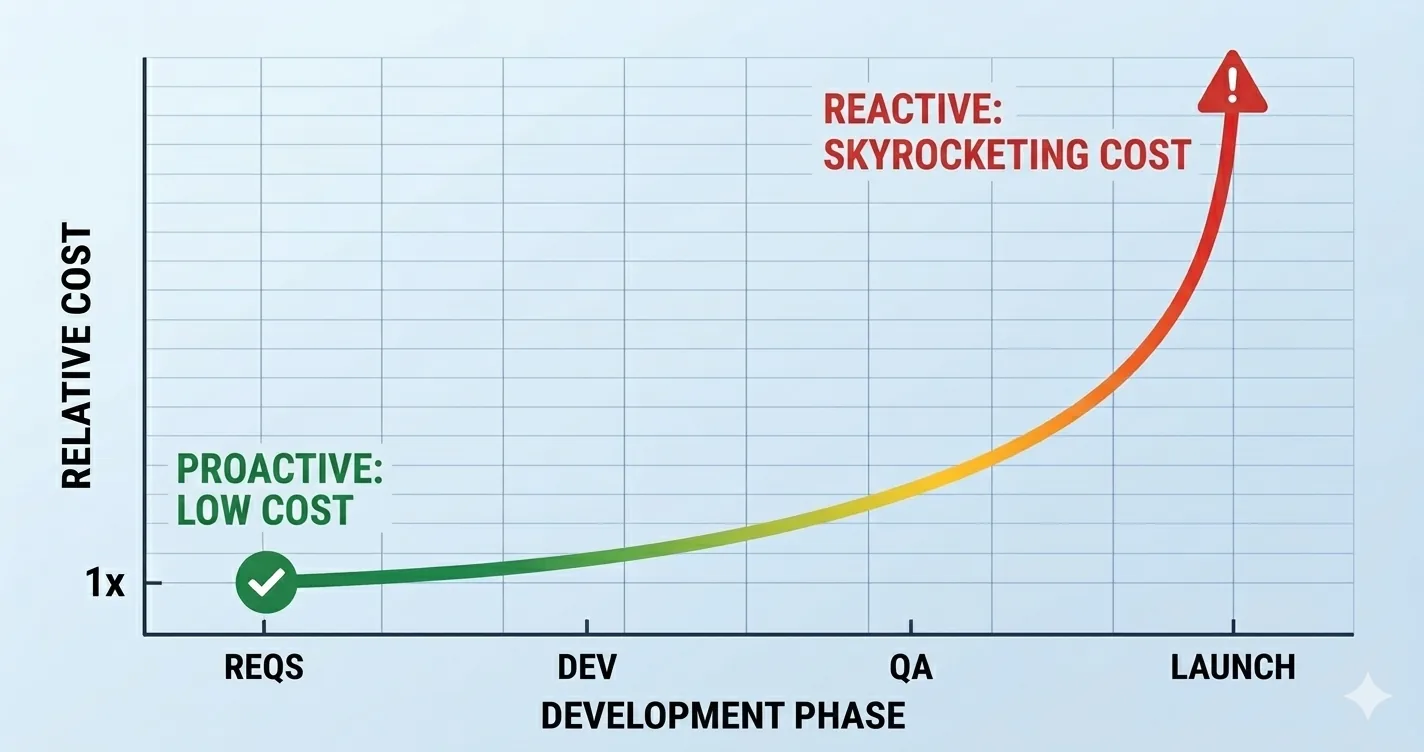
According to experts at Level Access, fixing accessibility issues in a finished product costs on average 10 to 30 times more than including accessibility in the requirements from the start. Research from IBM’s Systems Sciences Institute shows that a defect found in production can cost up to 100 times more to fix than one found during the design phase.
The conclusion is simple: spending 5 per cent more time on the right requirements today avoids paying ten to a hundred times as much tomorrow.
What does the research say?#
This is not just opinion. It is well supported by data from the world’s leading standards bodies and research institutions. Here is a selection of the most important sources:
- W3C (WAI) – “The Business Case for Digital Accessibility”: The world’s web standards body states that it is significantly more cost-effective to build accessibility in from the start than to “fix” a product retrospectively.
- Level Access: These leading accessibility experts show that fixing an accessibility defect in production costs 10 to 30 times more than addressing it during the requirements and design phase.
- Forrester Research: Reports that companies that include accessibility requirements early have 50 per cent lower support and maintenance costs over time.
- UK Government (GDS): Its studies show that it takes a development team twice as long to fix accessibility retrospectively as when the requirements were included from day one.
- IBM Systems Sciences Institute: Shows that a defect found in production is up to 100 times more expensive to fix than one identified during requirements or design.
- NIST: “The Economic Impacts of Inadequate Infrastructure for Software Testing” confirms that addressing defects after launch costs approximately 30 times more.
“It is much easier and less expensive to create an accessible website or application from the start than it is to fix an inaccessible one later.” – W3C Web Accessibility Initiative
Why does it get so expensive?#
Why is a quick fix not enough once the problem has been identified? Three main cost drivers make retrospective accessibility work so expensive:
- Structural interventions: An accessibility defect is rarely a matter of the wrong colour. More often, the navigation does not work with a keyboard, or forms lack the logical relationships that screen readers depend on. Fixing this after the fact is surgery on the product’s architecture, not a patch.
- Repeated test cycles: Every change requires new manual testing with screen readers and other assistive technologies. This is slow and expensive when it happens outside the normal development cycle, and the cost of specialist testers quickly adds up.
- Retrofitting disrupts your roadmap: Instead of building new features that create business value, the team has to clean up technical debt. Every retrospective fix carries an opportunity cost: a feature you didn’t build.
There is also a less obvious cost. If the foundational components in your component library are inaccessible, the problem spreads across your entire product, and you have to fix the same defect in hundreds of places. That is not an hour’s work; it is weeks of productive time taken away from the roadmap that creates value.
FAQs about accessibility requirements#
Isn’t it more expensive to build accessibly from the start?
No. The time invested during the requirements and design phase is marginal compared with the cost of rewriting code, commissioning new accessibility audits and potentially dealing with legal consequences after launch. Research shows that every unit of currency spent in the right phase can save up to 100 units later.
Which legal requirements do we need to follow?
In the EU, the European Accessibility Act (EAA) requires private-sector companies in sectors such as e-commerce, banking and digital communications to make their products and services accessible. In the public sector, requirements have been in place for longer, and the harmonised standard EN 301 549, which references WCAG 2.1 AA, is the baseline across the EU. Non-compliance carries a real risk of fines and litigation. Including accessibility in your requirements specification is your insurance policy.
Who is responsible for accessibility requirements in a project?
It starts with product owners and requirements managers. If you do not require accessibility, the team will – often unknowingly – build up technical debt that someone will eventually have to pay. Accessibility must be a shared responsibility from day one, not a task handed to a lone tester at the end of the project.
Sources
What this article is built on
- [1]W3C WAI: The Business Case for Digital Accessibility w3.org
- [2]Level Access: The Cost of Accessibility Remediation levelaccess.com
- [3]Forrester Research: The Total Economic Impact of Accessibility forrester.com
- [4]IBM Systems Sciences Institute: Relative Cost to Fix Software Defects research.ibm.com
- [5]UK Government Digital Service: Making Your Service Accessible gov.uk
- [6]NIST: The Economic Impacts of Inadequate Infrastructure for Software Testing nist.gov